Command & Conquer™ for RISC OS
These are RISC OS ports of three of Westwood Studios' Command & Conquer™ games:
Tiberian Dawn™ (1995) and Red Alert™ (1996), which run on a Risc PC as well as on a Raspberry Pi,
and Tiberian Sun™ (1999) with its Firestorm™ expansion, which needs the extra speed of a Raspberry Pi.
Electronic Arts™ released the source code to Tiberian Dawn and Red Alert under the GPL in 2020.
The Vanilla Conquer project has since turned it
into a portable version of the games, and OpenTS has
rebuilt the Tiberian Sun engine from the same code and a lot of reverse engineering.
My ports are built from those, so the games play the same as they did on the PC, and I did them with the help of Claude AI.
All three games have:
- network play against other RISC OS machines on your local network (a Risc PC and a Pi can play each other)
- the full motion video cut scenes, if you have the disc space for them
- saved games
- an icon on the icon bar, with a menu for Info, Help and Quit
- a way back to the desktop during play: press Shift+F12 and the game is paused (sound too) until you click its icon again
- screenshots saved as PNG files by pressing Insert
- a screen size picked to suit the speed of your machine, which you can change
The game data isn't included, but EA gave all three games away as freeware some years ago and the CD images
are still free to download. See getting the game data below.
All three have been playtested, but this is a first release so there are bound to be some bugs.
If you find one, please let me know through the contact form or by raising an issue on GitHub
(VanillaTD and VanillaRA,
OpenTS).
 VanillaTD (Tiberian Dawn)
The original Command & Conquer, with the GDI and Nod campaigns and skirmish and network games.
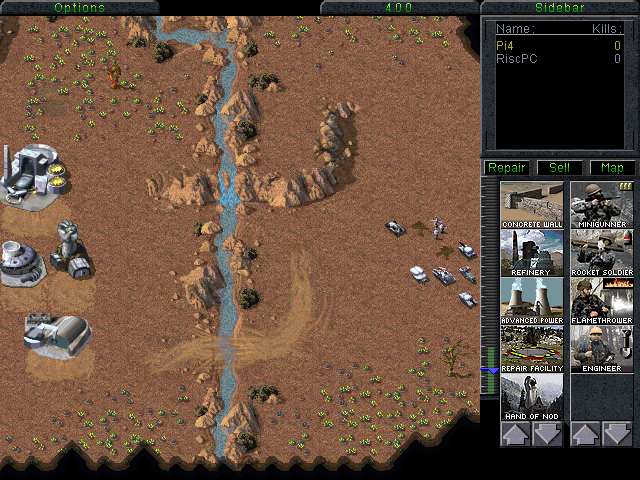
The first time it runs it picks the largest screen it can keep smooth: 640x480 on a StrongARM Risc PC, and the full size of the desktop on a Raspberry Pi 4.
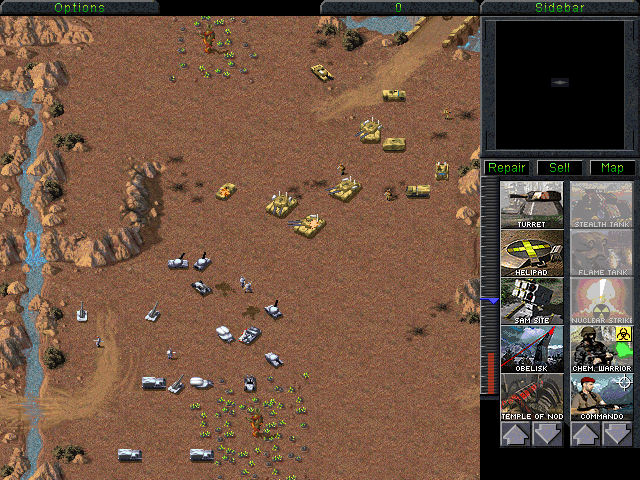
Tiberian Dawn on a Risc PC.
Requirements
- A StrongARM Risc PC (or RPCEmu set up as one), or a Raspberry Pi with RISC OS 5.
It will also run on an ARM610 or ARM710 Risc PC and an A7000, but much more slowly (use 320x200 from the Screen size menu).
- RISC OS 3.7 or later.
- About 24 MB of free memory.
- About 65 MB of disc space, plus about 430 MB for each disc's movies if you want them.
- Game data: the GDI disc and, optionally, the Nod disc (see below).
Download  1.1 Mb Zip Archive, version 0.1.2
Also on the GitHub releases page.
 VanillaRA (Red Alert)
The Allied and Soviet campaigns, skirmish and network games.
The early campaign missions play at full speed on a StrongARM Risc PC, though big battles with over a hundred units
on screen will slow it down. The Counterstrike and Aftermath expansions aren't supported yet.
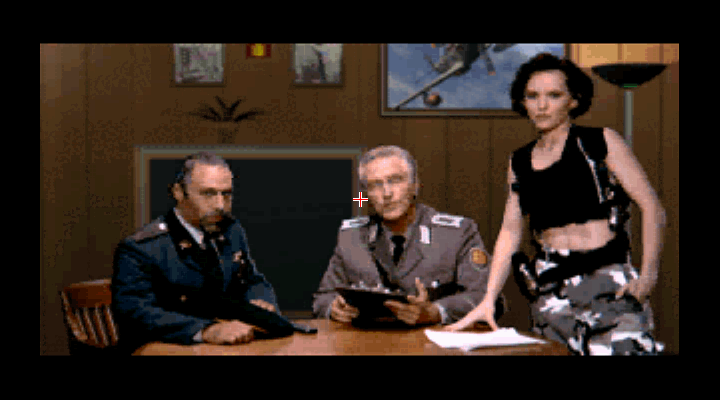
One of Red Alert's briefing movies.
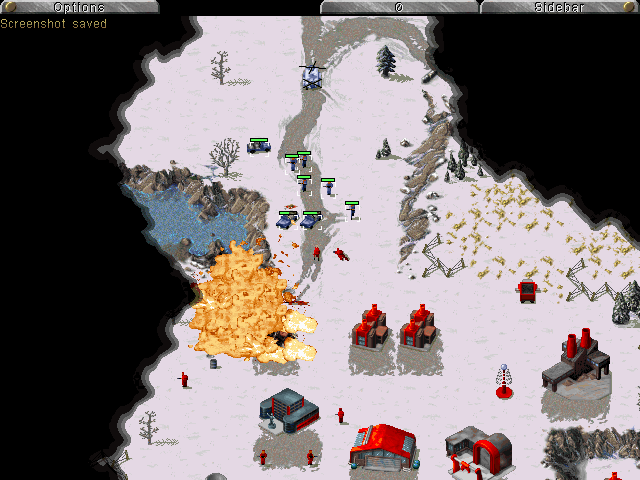
A battle in the snow on a Risc PC.
Requirements
- A StrongARM Risc PC (or RPCEmu set up as one), or a Raspberry Pi with RISC OS 5.
As with Tiberian Dawn, it will run on an ARM610, ARM710 or A7000 but slowly.
- RISC OS 3.7 or later.
- About 40 MB of free memory.
- About 110 MB of disc space without the movies, or around 500 MB for one disc's data with its movies.
- Game data: the Allied disc and/or the Soviet disc (see below).
Download 1.5 Mb Zip Archive, version 0.1.2
Also on the GitHub releases page.
 OpenTS (Tiberian Sun and Firestorm)
Tiberian Sun is a much heavier game than the earlier two (voxel units, lighting and higher resolutions), so there's no
hope of it running on a Risc PC. RISC OS has no 3D drivers, so everything is drawn in software.
A Raspberry Pi 4 is best, though it also runs, more slowly, on a Pi 2 or 3. You choose Tiberian Sun or the
Firestorm expansion when it starts.
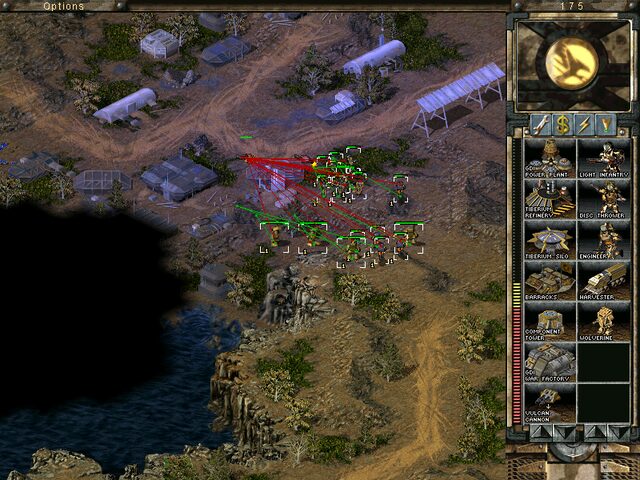
Tiberian Sun on a Raspberry Pi 3, at 800x600.
Requirements
- A Raspberry Pi 2, 3 or 4 with RISC OS 5 (tested on 5.30).
- SharedUnixLibrary 1.16 or later, ARMEABISupport 1.03 or later and DigitalRenderer in !System.
They come with RISC OS 5 or from PackMan.
- About 250 MB of disc space, plus about 1.4 GB if you want all the movies.
- Game data: the GDI disc, plus the Nod and Firestorm discs for their campaigns (see below).
Download 4.7 Mb Zip Archive, version 0.1.2
Also on the GitHub releases page.
Getting the game data
EA released Command & Conquer in 2007, Red Alert in 2008 and Tiberian Sun in 2010 as freeware,
and the CD images can still be downloaded for nothing. Make sure you get the Windows 95 versions of the discs.
Tiberian Dawn
- cnc-comm.com - choose "GDI CD Windows 95" and "Nod CD Windows 95"
- CNCNZ.com - "Tiberian Dawn - GDI Disc" and "Nod Disc"
You need the GDI disc. Without the Nod disc you can still play the GDI missions and multiplayer.
Red Alert
Either disc will do. If you leave out the movies, one disc is enough for both campaigns.
Tiberian Sun
The GDI disc is needed. The Nod and Firestorm discs add their campaigns (and Firestorm its extra maps). No CD key is needed.
Installing it
Each download is a zip holding the ISO image of one CD (600 to 700 MB), and they're easiest to unzip on a modern
computer before copying the ISO across. Then:
- Put the game's application where you want to keep it and double-click it so its icon appears on the icon bar.
- Drag the ISO file onto that icon.
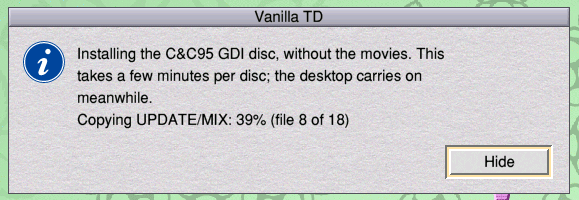
The game works out which disc it is, tells you how much space it needs, and asks whether you want the movies.
It then copies the files it needs into the application, checking each one as it goes, while the desktop carries on as normal.
It reads the ISO directly, so you don't need a CD drive, and you can delete the ISO afterwards.
Each game's !Help has the details.
VanillaTD installing the GDI disc.
Network play
Choose Multiplayer Game, then Network. Players on the same local network will see each other's games, and a
Risc PC and a Raspberry Pi can play each other, each at its own screen size.
Wired Ethernet is best, as some wireless networks drop the broadcast messages the games use to find each other.
Tiberian Dawn can also play against the official Vanilla Conquer builds for Windows, macOS and Linux of the same version.
Internet play isn't supported yet.
A network game of Tiberian Dawn between a Raspberry Pi 4 and a Risc PC.
Source code and bug reports
The ports are free software under the GPL, and the full source code is on GitHub (the riscos branch of each):
If something doesn't work, please raise an issue on GitHub
(VanillaTD and VanillaRA,
OpenTS)
or use the contact form. Each game's !Help says which log files to send.
Thanks must go to the Vanilla Conquer and OpenTS developers, whose work these ports are built on,
to the GCCSDK project for UnixLib and SDL, and to EA for releasing the source code in the first place.
Command & Conquer, Tiberian Dawn, Red Alert, Tiberian Sun and Firestorm are trademarks or registered trademarks
of Electronic Arts Inc. in the U.S. and/or other countries. Electronic Arts and Westwood Studios are trademarks of Electronic Arts Inc.
These ports are an unofficial, non-commercial hobby project. They are not made, affiliated with, endorsed or supported by
Electronic Arts or Westwood Studios, so please don't contact them about any problems with them.
Only the program code, which is under the GPL, is distributed here. The game data isn't included and remains
the property of Electronic Arts, and the freeware disc images come from the third-party sites linked above.
RISC OS, Risc PC, Raspberry Pi and any other trademarks mentioned belong to their respective owners.